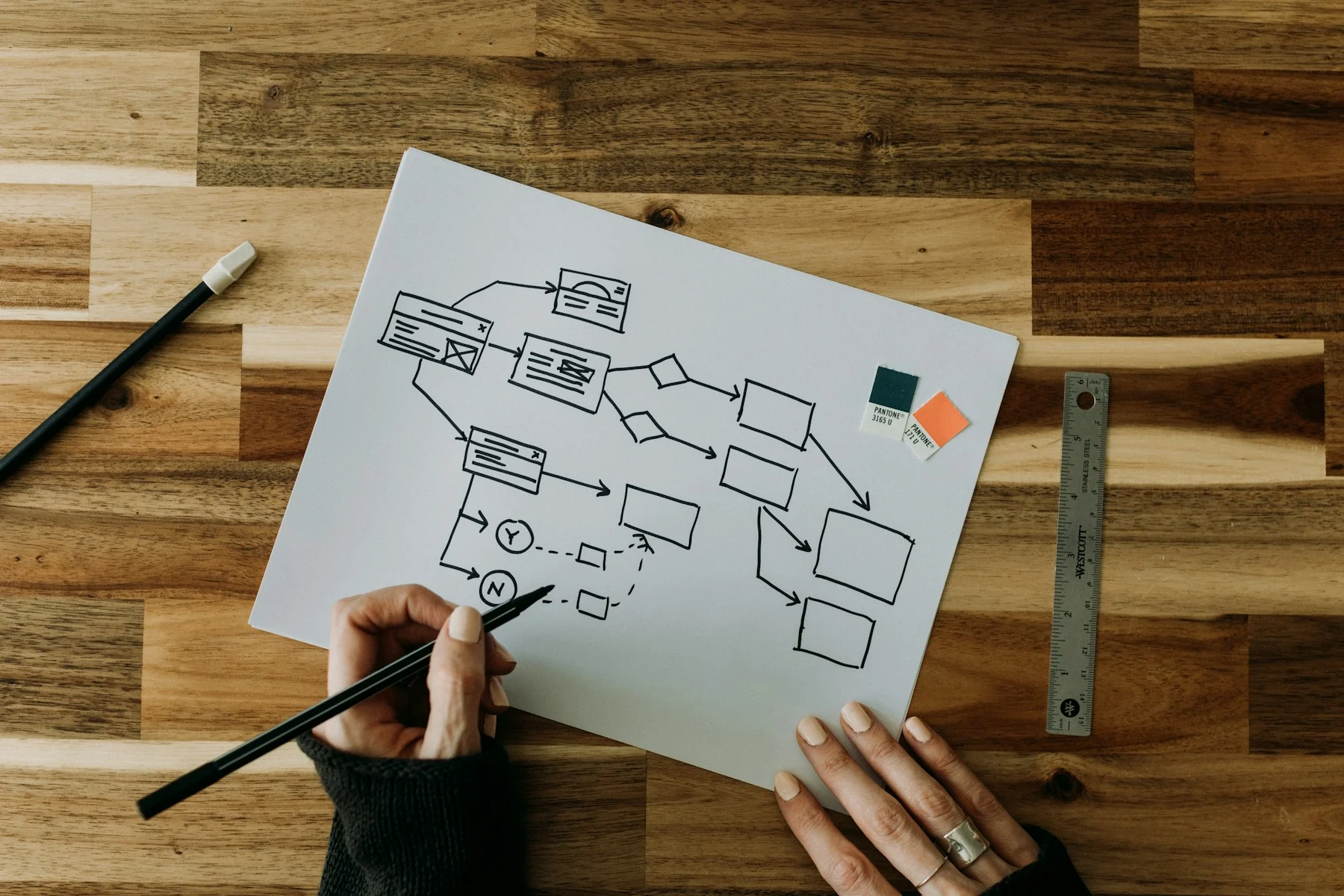
Understand
We begin with the audience, product purpose, business rules, user tasks, known pain points and technical constraints. Existing analytics, support enquiries and stakeholder knowledge can provide valuable evidence.
Good design helps people understand what to do next. Velrix Digital creates clear user journeys, practical interfaces and consistent design systems for websites, mobile applications, dashboards and digital platforms.
Our UI/UX design process combines business requirements with user needs. The objective is not decoration. It is to reduce friction, improve confidence and help more people complete important tasks.
A product can have strong technology and still lose users through unclear navigation, difficult forms, inconsistent screens or missing feedback. These problems often become more expensive when discovered after development.
We use research, journey mapping, wireframes and prototypes to identify issues earlier. This allows stakeholders to review the experience before major engineering effort and gives developers clearer, more consistent specifications.
User and stakeholder discovery
Competitor and experience reviews
Persona and job-to-be-done definition
User journeys and task flows
Information architecture
Low- and high-fidelity wireframes
Interactive prototypes
Website and landing-page UX
iOS and Android interface design
SaaS dashboard and portal design
E-commerce customer journeys
Design systems and reusable components
Usability testing and design iteration
UX audits for existing products
We begin with the audience, product purpose, business rules, user tasks, known pain points and technical constraints. Existing analytics, support enquiries and stakeholder knowledge can provide valuable evidence.
We map information, navigation and task flows. This stage answers where information belongs, what users need at each step and how the product should respond to their actions.
Wireframes focus on hierarchy and function without becoming distracted by final styling. They help teams review whether the experience is complete and understandable.
Interactive prototypes demonstrate key journeys and states. They can support stakeholder approval, early user feedback, investor demonstrations or development planning.
We develop the visual interface, responsive behavior, component library and essential interaction states. Accessibility, content clarity and real device constraints remain part of the design decision.
We review the solution against requirements, incorporate agreed feedback and prepare organized design files for development. Handover may include annotations, assets, components and collaboration with the engineering team.
Helps customers complete tasks with less confusion
Reduces avoidable rework during development
Creates consistency across pages and screens
Makes complex features easier to understand
Supports accessibility and mobile usability
Builds confidence in the quality of the product
Provides a structured foundation for future features
UX design focuses on how a product is structured and experienced: tasks, journeys, navigation and usability. UI design focuses on the visual and interactive interface, including typography, color, components and screen states. Strong projects need both disciplines to work together.
Yes. A UX audit can review current screens, analytics, feedback and user journeys. We then prioritize the issues most likely to affect understanding, task completion or conversion.
Yes. We can create interactive prototypes for key journeys. The required fidelity depends on whether the prototype is for internal alignment, user testing, investment conversations or developer handover.
Yes. Velrix Digital provides web and mobile application development. We can continue from design into implementation or collaborate with your existing engineering team.
UI/UX design should make a product easier to understand, not simply produce attractive screens. We connect research questions to user flows, interaction rules and reusable interface components. The level of discovery is matched to the decision being made and the evidence already available.
We identify the steps a user takes before, during and after an important task. This includes entry points, interruptions, empty states and unsuccessful attempts. A clear flow helps the team see where the interface needs explanation, reassurance or a simpler decision.
Prototypes make navigation, hierarchy and key transitions tangible before full development. They can be used in stakeholder reviews or user sessions to examine assumptions. Feedback is recorded against the task and audience rather than reduced to individual visual preferences.
Components include relevant states, responsive behavior and usage guidance. Spacing, typography, color roles and interaction patterns should be consistent enough for engineers to extend. Accessibility considerations are discussed throughout design and still need implementation checks in the working product.
Bring existing screens, customer feedback, support questions and the most important user tasks. We also need to understand the platform, development constraints and who can make product decisions. A clear problem statement is more useful than a request to make an interface look modern.
A dashboard redesign starts by identifying the decisions each user must make. A dispatcher may need exceptions first; a manager may need a reliable overview. We map those different tasks, prototype the most important flows and document loading, error and empty states. A prototype can test usability before the business commits to full development.
This is an illustrative planning example, not a claim about a completed client project.
The website planning guide can help define audience tasks and content needs before you review wireframes or visual treatments. Open the planning guide.
Share your product idea, current screens or customer challenge. We will recommend the right level of research, design and prototyping.
Services · Projects · Support
Explore our services, plan a project, or ask a question. Your next step starts here.